
A screen-by-screen reading of the supplied Indusbet app captures, with clear notes about what screenshots can and cannot tell you. This article is based on the supplied screenshots and publicly available primary references where relevant. It is informational and does not endorse or recommend a service.
What the supplied screens show
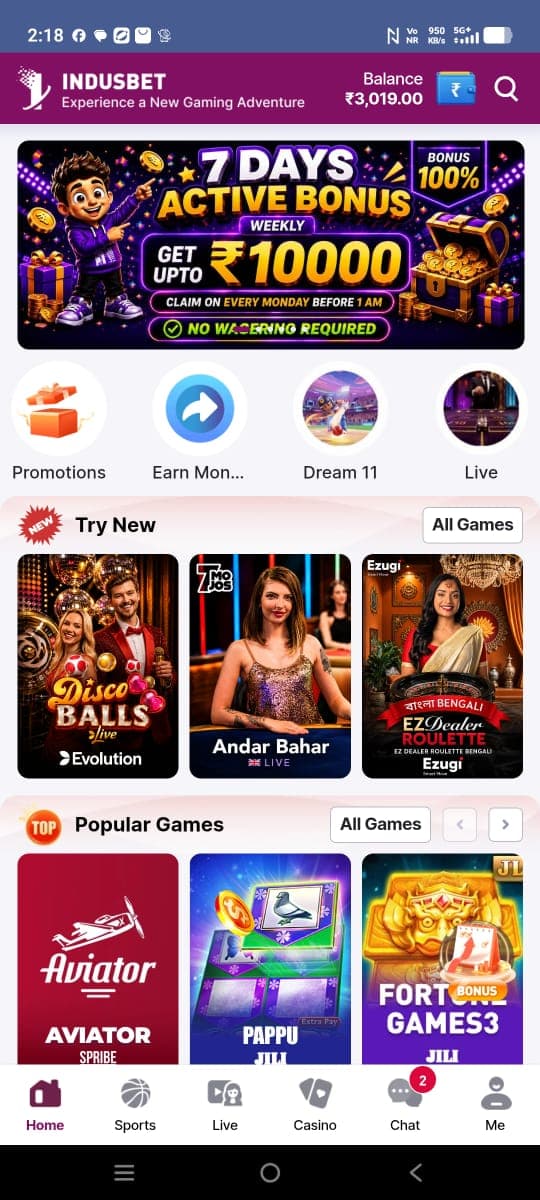
The reference material presents the application through a series of mobile screen captures: a home feed, multiple game category grids, a live interface, a profile area, a chat list, and wallet-related pages. Together, they offer a useful visual record of how the interface was arranged at the moment each capture was made. They are not a live connection to the application and should not be treated as a current feature list. Each image may reflect a particular account state, date, or version.
A home feed built from visual sections
The home capture begins with a branded header and balance label, followed by a large promotional image. Beneath it are circular shortcuts and horizontally grouped sections such as new or popular games. Game tiles rely heavily on cover art and embedded text. This composition makes the screen easy to scan as a sequence of visual modules. Readers who want to inspect those modules individually can use our screenshot gallery and the home screen navigation guide.
Category screens and game tiles
Other captures focus on categories. The casino screen pairs a horizontal category selector with sorting controls and a three-column image grid. The PG Games view groups a set of tiles below a provider heading. A separate live capture places a video-like table interface above promotional cards and game filters. These screenshots document labels and layout, but they do not verify that a listed game was playable, available in every region, or offered on the same terms later.
Account and support areas
The profile capture includes an account identifier, a last-login label, level progress, wallet summary, and links to transaction records. A chat capture lists customer service and channel conversations. These are visible interface elements only. A screen capture cannot establish who operates a channel or whether a contact is authentic. Before sharing personal information, verify the destination independently and never provide passwords or one-time codes in response to a message.
Interpreting wallet labels
The supplied withdrawal screen shows balance labels, selectable amounts, a method selector, recipient fields, a token label, and a transaction breakdown. This makes the interface structure visible, but does not prove that a transfer can be completed, explain the legal context, or validate the fee shown in that particular capture. Our profile, chat, and wallet guide describes the related account screens and practical privacy questions.
What screenshots cannot establish
A screenshot cannot prove that an app is official, licensed, lawful, secure, or currently operating. It also cannot tell you the full terms behind a feature, how personal data is processed, whether an image or promotion is current, or what a user will experience after tapping a button. Those questions require current primary information from the relevant provider and government sources. The screenshots here were supplied as references and are presented for description, not endorsement.
A practical way to use this guide
Start with the gallery to compare the captures, then use the category index to find the screen grouping you want to understand. Our about page explains how the material is handled, and the FAQ summarizes common questions. For account-related screens, see the guide to profile and chat. For legal questions in India, consult the official India Code Act listing and current MeitY materials. This editorial site is independent and not legal advice.
Editorial conclusion
Use the material as a guide to visible interface patterns, then verify current details through primary, trusted sources. Images cannot establish current functionality, legal status, endorsement, or financial safety. For general site policies, read the disclaimer and editorial policy.